Layer your imagination.
Blend samples and native synths. Set your keyboard splits, velocity ranges and MIDI channels for each layer.


Expressive keys, endless textures. A virtual instrument built for the moments you play live.
From the first piano note to the pad that holds the room. Build a sound that follows your hands, your band, and your moment.
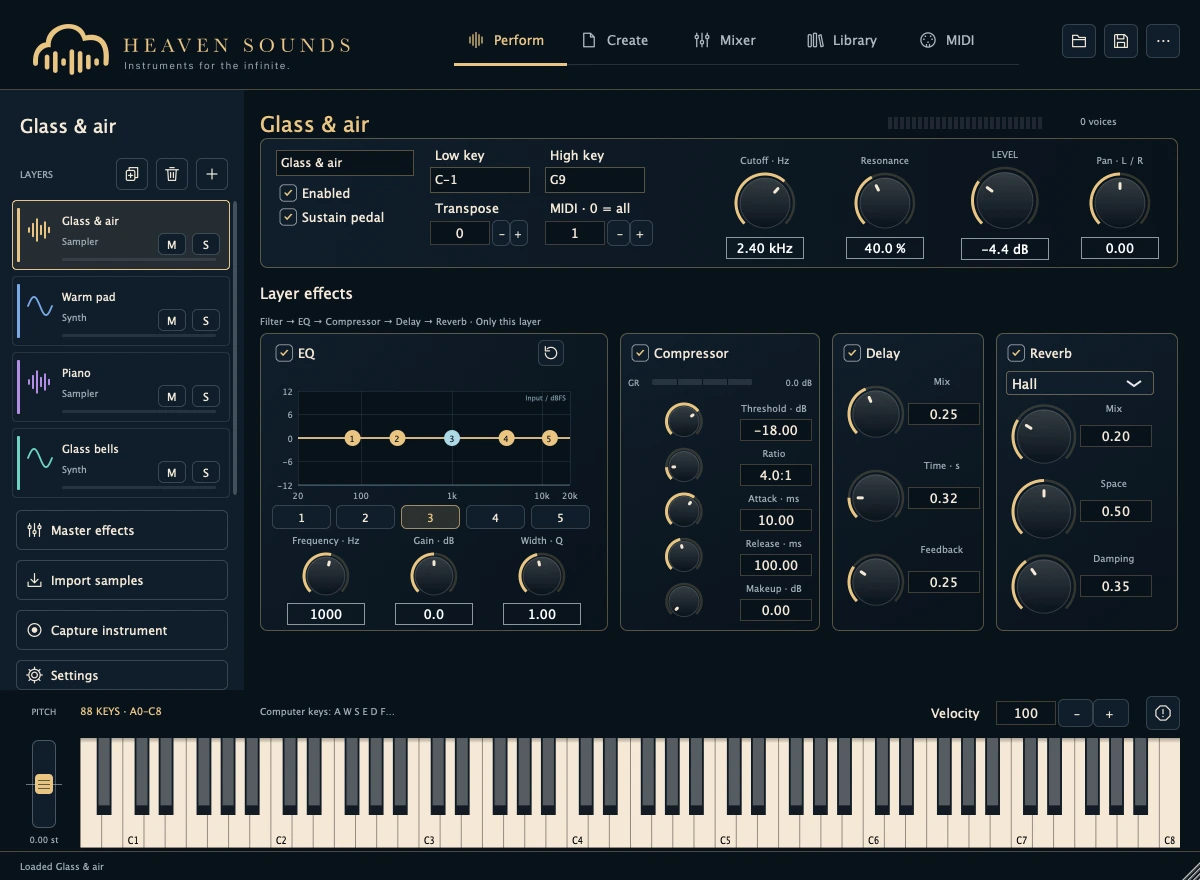
Blend samples and native synths. Set your keyboard splits, velocity ranges and MIDI channels for each layer.
Shape each layer with EQ, compression, delay and reverb. Bring everything together in the mixer.
Save your samples, mappings and effects together in a self-contained Heaven Sounds instrument.
A small playground for a bigger sound. Choose a texture, play the keys, and make some space.
Play the keys or use A W S E D F T G Y H U J K. Escape stops all sound.
Interactive browser synthesis. Illustrative sounds, not audio recordings of the app or the proposed packs.
Build at home. Shape at rehearsal. Bring your own expression to the stage.
Combine sample layers with seven native synthesis methods: additive, subtractive, FM, wavetable, phase distortion, physical modelling and granular.
Up to eight layers, key and velocity ranges, transposition, sustain and independent MIDI channels. Keep piano in one hand and texture in the other.
Per-layer EQ, compressor, delay and reverb, plus separate master processing and shared effect sends. Shape a close piano or a spacious wash.
Global tempo, transport, tap tempo, metronome, arpeggiation, drum pads and MIDI loops bring pulse to your setup.
Infinite Pad creates sustained chord textures for the space between phrases. Choose a root and voicing to support the moment.
MIDI CC assignments, expression, sustain and pitch bend keep your hands connected to the sound. Save mappings with your instrument.
Import WAV, AIFF, SF2 and SFZ. Edit mappings, velocity layers, envelopes, trim and loops. Capture configured VST3 instruments on Mac.
Browse sounds and user presets. Save self-contained .heavensound packages with your samples, layers and effects.
Leave space for the song. A gentle piano, a pad under the voices, a little movement when the chorus opens. Heaven Sounds brings your layers together, so your attention can stay on the music.
 Sample packs
The included sound collection for Free and Pro.
Included with Free and Pro Sample packs
A piano and a pad for worship. Sounds in preparation.
Included with Free and Pro Sample packs
The full worship library, included with Pro. Sounds in preparation.
Included with ProWorship libraries are in preparation. Regional pricing applies at checkout.
No. It is a virtual instrument and sample player focused on live keyboard performance. The native project includes standalone, VST3 and AU targets.
No. The Pro license is perpetual. Your purchase includes one year of upgrades. After that, keep using the versions you received; renewing upgrades will be optional.
The first release is in preparation. Accounts and payments become available once the services are activated. Public installers and final prices will be announced at launch.
The web keyboard is an illustrative browser synthesizer. It is not a recording of the native app or a preview of commercially released sample packs.
The current Mac development build targets macOS 14 and later. The project also has Windows standalone/VST3 targets and macOS AU. Final installers and tested compatibility will be listed at launch.
Pro supports WAV/AIFF import and SF2/SFZ instruments, with editable mapping and self-contained packages. Check each library’s usage rights before sampling or sharing it.
Explore the instrument. Find the layers that feel like you.
Find your version